
Wordmark · light background
Everything you need to talk about RepairTree. You're welcome to use these assets in articles, reviews, partner pages and integrations — no permission needed. If you need something that isn't here (a higher-resolution screenshot, a specific colour, a founder quote), just send us a note.
The wordmark is the preferred mark. Use the light variant on dark backgrounds. The icon-only mark is for avatars, badges, partner co-marks, and anywhere the wordmark won't fit. Give the logo room to breathe — keep at least the height of the leaf mark as clear space on every side.
Stylised UI illustrations of the three screens shop owners spend the most time on. Drop them straight into ads, partner pages, decks and explainer posts — SVG, so they stay crisp at any export size. Each one carries the brand mark, so attribution is built in.
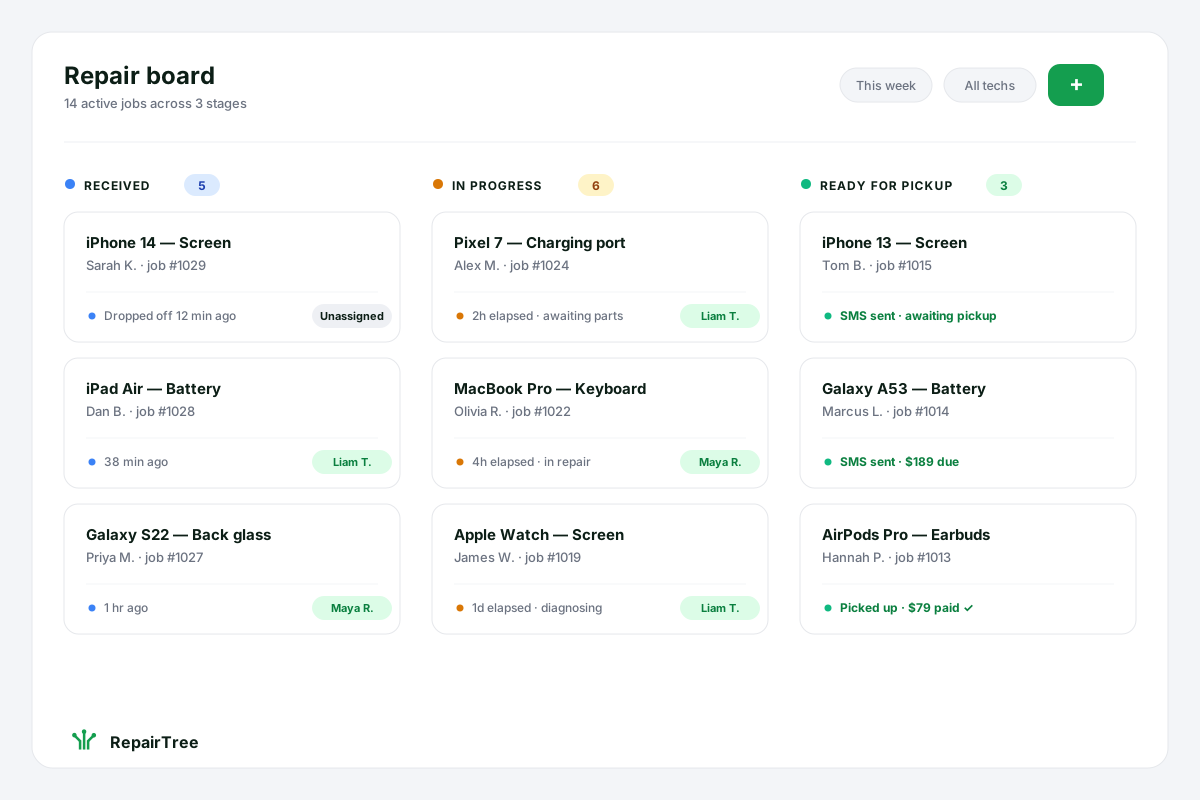
The kanban-style workflow that's at the heart of every shop's day — drop-off, in progress, ready for pickup. Each card shows device, customer and elapsed time at a glance.
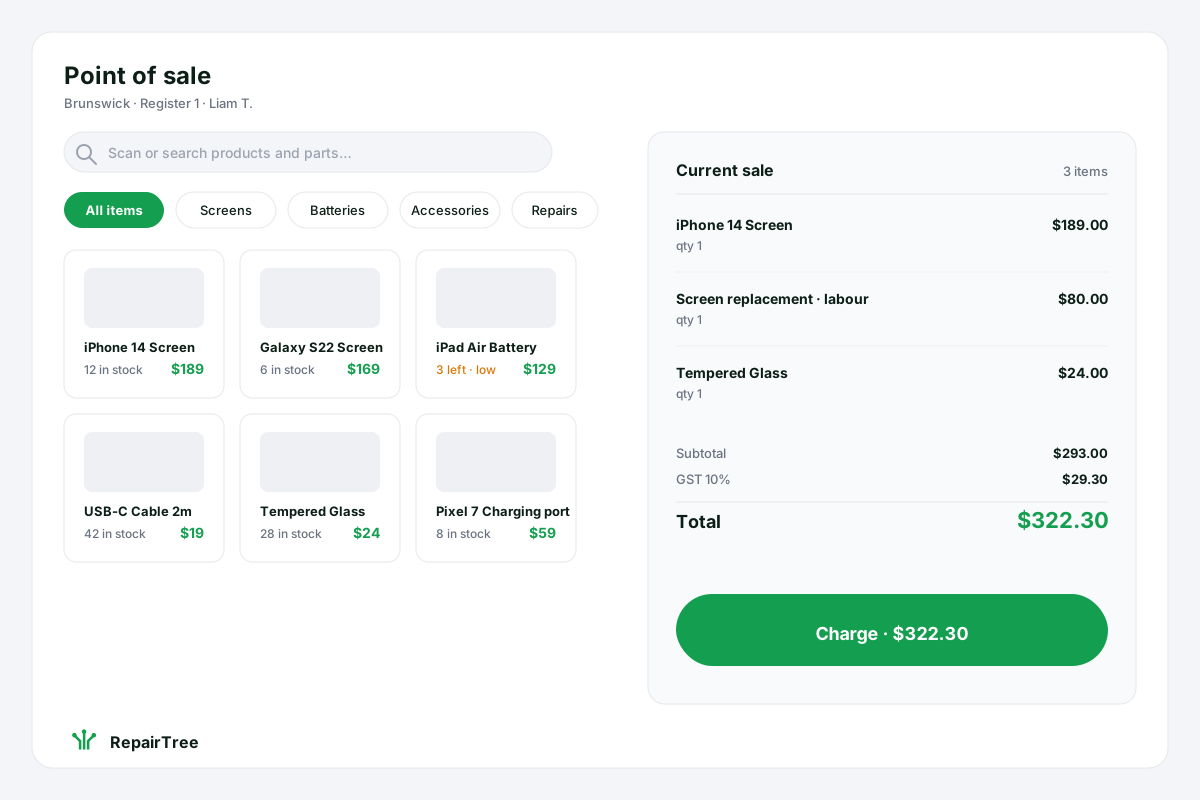
Sell parts, accessories and repair labour from one screen. Live stock counts, GST handled, a single big 'Charge' button at the bottom.
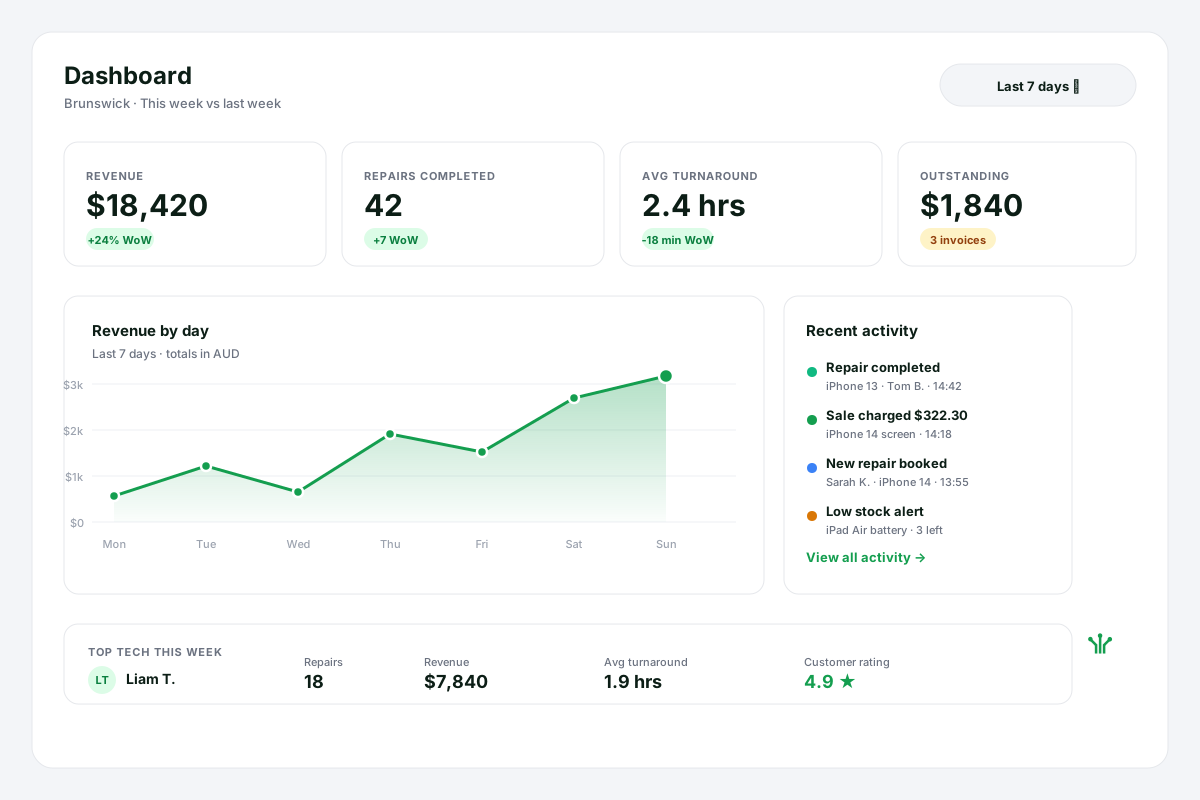
The owner's morning glance: revenue, repairs completed, average turnaround, outstanding invoices, top tech this week. Real-time, no spreadsheet wrangling.
Click a swatch to copy the hex code. RepairTree green is the only colour you need to get the brand right — the rest are supporting tones for backgrounds, text and quiet accents.
Ready-to-paste descriptions of RepairTree in four lengths. Use whichever fits the space.
RepairTree — repair management, simplified.
RepairTree is repair-shop software that tracks every job from drop-off to pickup, takes payments, and keeps customers in the loop.
RepairTree is Australian-built repair-shop software. It tracks every device from intake to pickup, handles point-of-sale and invoicing in the same screen, manages parts inventory, and sends customers automatic status updates — so shops spend less time on paperwork and more time fixing things. There's a free plan with no time limit.
RepairTree is repair management software built for busy phone, computer and electronics repair shops. From the moment a device is dropped off, every job moves through a clear status workflow — received, diagnosing, awaiting parts, ready for pickup — so nothing slips through the cracks on a flat-out Saturday. Point-of-sale, invoicing, parts inventory and customer notifications all live in the same app, so the team isn't toggling between half a dozen tools. Customers get an automatic SMS or email the moment their repair is ready. Owners get a real-time dashboard showing turnaround times, technician workload, revenue and outstanding invoices at a glance. RepairTree is built and supported in Australia, runs on any modern browser, and has a free plan with no credit-card requirement and no time limit — so a one-tech operation can start the same day, and grow into a multi-store business without changing systems.
Ad-ready headlines grouped by angle — pick one per ad set and A/B test against the others. They're punchy on purpose: the right place to add nuance is the description, not the hook.
The headline numbers in one spot, for stub pages and directory listings.
Everything an agency needs to keep paid campaigns on-brand, on-attribution, and on-message — without needing to come back and check with us first.
We were up and running the same afternoon. The repair tracking alone has saved us hours every week — and our customers love getting the text when their phone is ready.
Numbers and one-liners that are safe to put in ad copy today.
Add these to every paid link so the traffic shows up correctly in our metrics. Source = platform, medium = campaign type, campaign = your slug.
?utm_source=facebook&utm_medium=paid_social&utm_campaign=repair_shops_q3#149e4f, or use the light variant for dark backgrounds.Working on a story, comparison or partner page? Hit us up directly — a real person on our team will reply, usually within one business day.






Social images
Pre-composed ad imagery sized for the surfaces most likely to host your campaign — Facebook, Instagram, LinkedIn, X. Each format ships in light and dark variants so it can sit alongside the rest of your creative. SVG, so the export scales cleanly to any size; most ad tools accept SVG directly, or convert to PNG / JPEG in your design tool.